

In this guide 7 sections
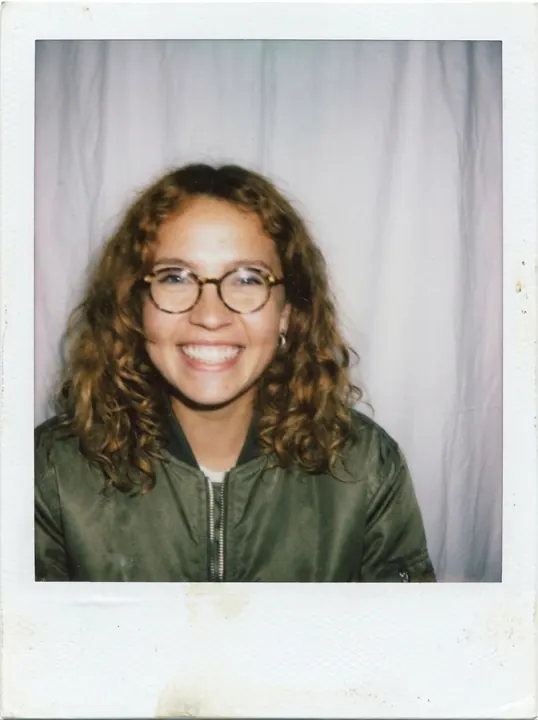
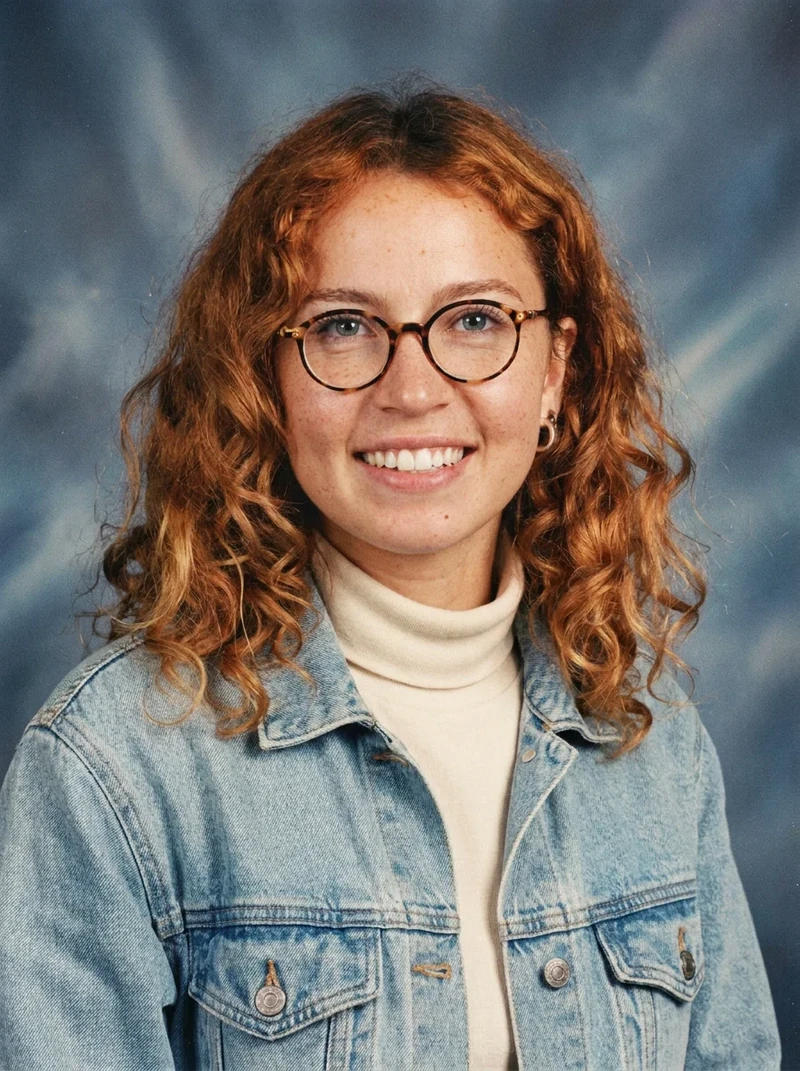
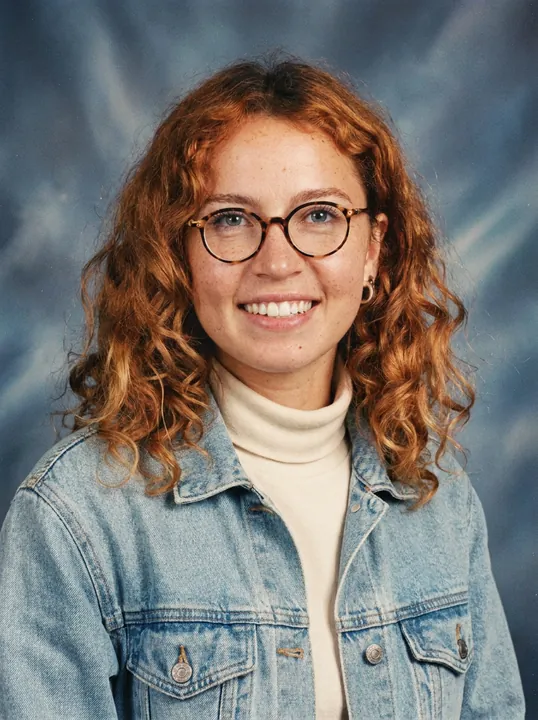
We ran one 1990s yearbook prompt on three image models on 2026-10-27, one try each, from the same reference photo of our fictional, AI-generated adult test character. GPT Image 2 via Higgsfield cost 0.5 credits and was the one model of three that drew the classic pink-violet “laser” backdrop. Nano Banana Pro (2 credits) gave a blue backdrop with film grain and held the face. Seedream 5.0 Lite (1 credit) gave a “galaxy” backdrop and a slightly broader face. That is one sample per model, not a ranking.
Part of the AI effects library.
How to do the AI yearbook trend (tested 2026-10-27)
Upload one clear photo of yourself to an image model that accepts a reference, paste a yearbook prompt, and generate once. The prompt needs four parts: the decade, the studio backdrop, a period outfit, and a “no text” line. Use your own photo, or a photo of an adult who agreed. Never upload a child’s photo: our content policy covers only your own photo or an adult who agreed. In 2023 Epik’s app also said children’s photos could not be uploaded (CNBC, 2023-10-05).
Same adult selfie, three models: 90s college-yearbook results
All three runs used a Higgsfield Plus-plan account, a 3:4 frame and one reference image. Each charge matched the quote we read before running. The job record lists our Nano Banana Pro run as nano_banana_2; the billing line reads “Nano Banana Pro”. We report both and conclude nothing.
Model (via Higgsfield) | Credits | Tries | What we saw |
|---|---|---|---|
Nano Banana Pro | 2 | 1 | Mottled blue backdrop with light streaks, visible film grain, denim over a turtleneck. Face held. Shoulders nearly frontal, though the prompt asked for a slight turn |
Seedream 5.0 Lite | 1 | 1 | Sparkly "galaxy" backdrop instead of laser streaks, tighter crop, more digital look. Face broader and rounder: mild drift, still recognizable |
GPT Image 2 | 0.5 | 1 | Classic blue backdrop with pink-violet light beams (1 of 3). Head tilt as asked, fine grain. Face held; hair a little fuller |
The three runs cost 3.5 credits (2 + 1 + 0.5). We discarded 0 of 3 outputs: none read as under 18. No output carried a name, logo, crest or letters. We did not spend the allowed fix run, because no output lost the face.
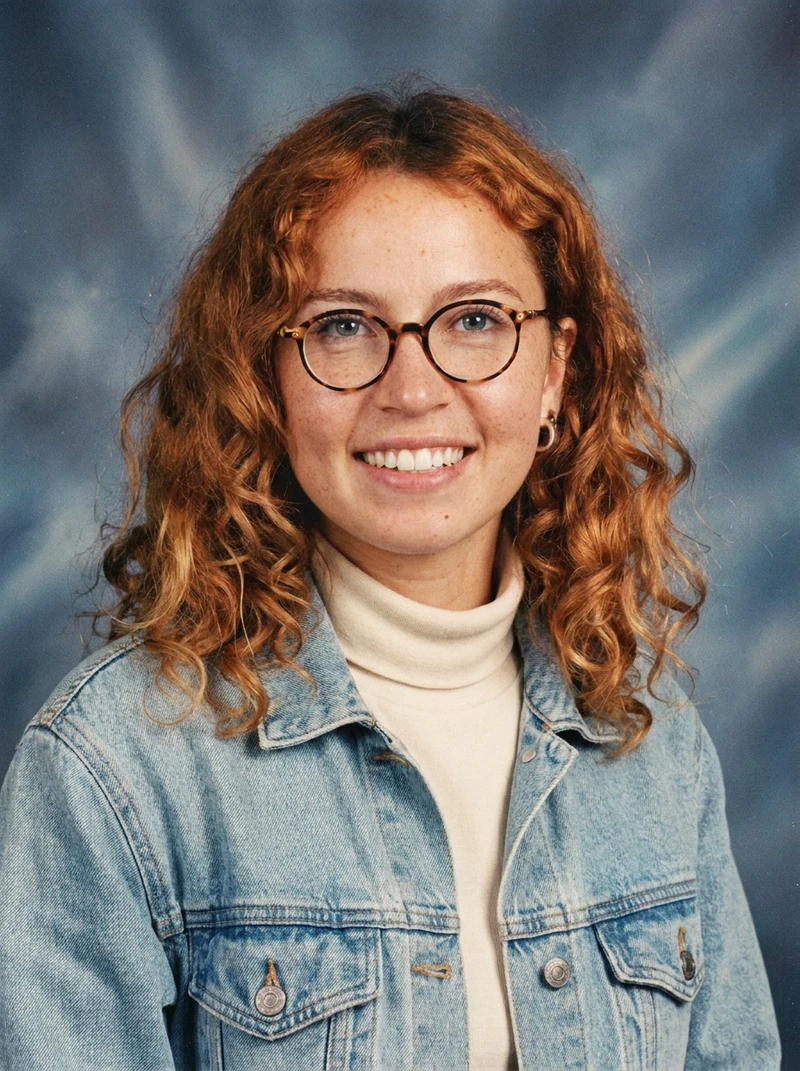
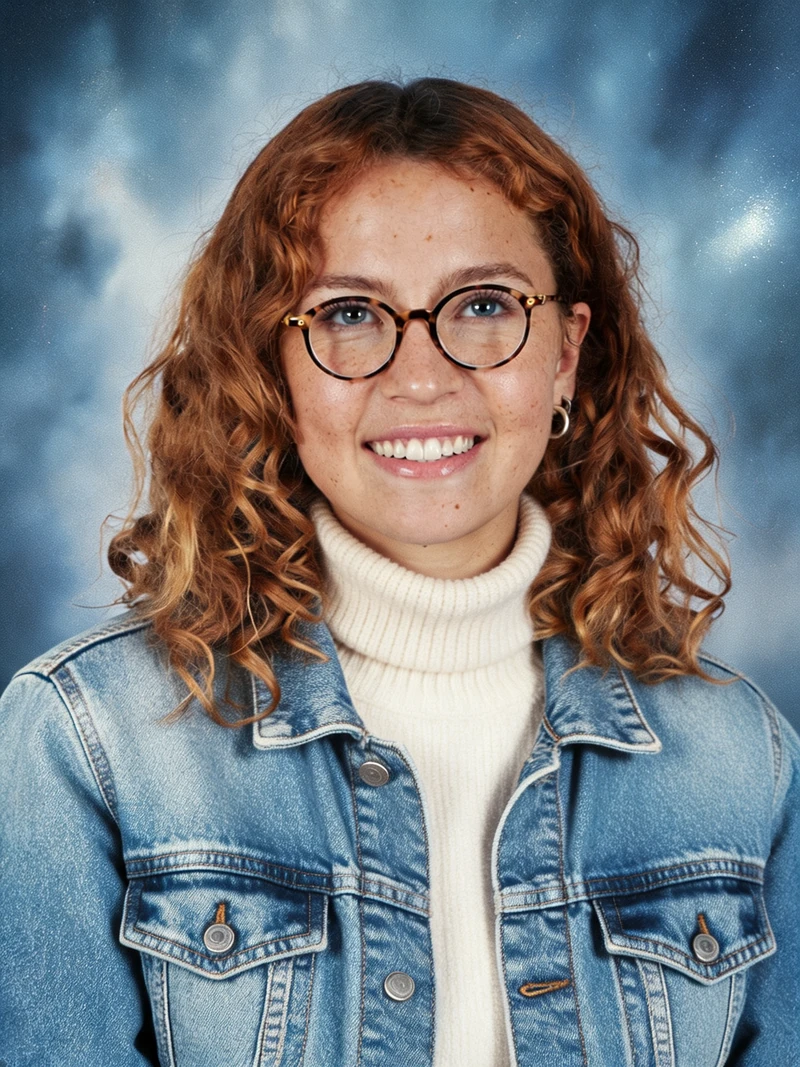
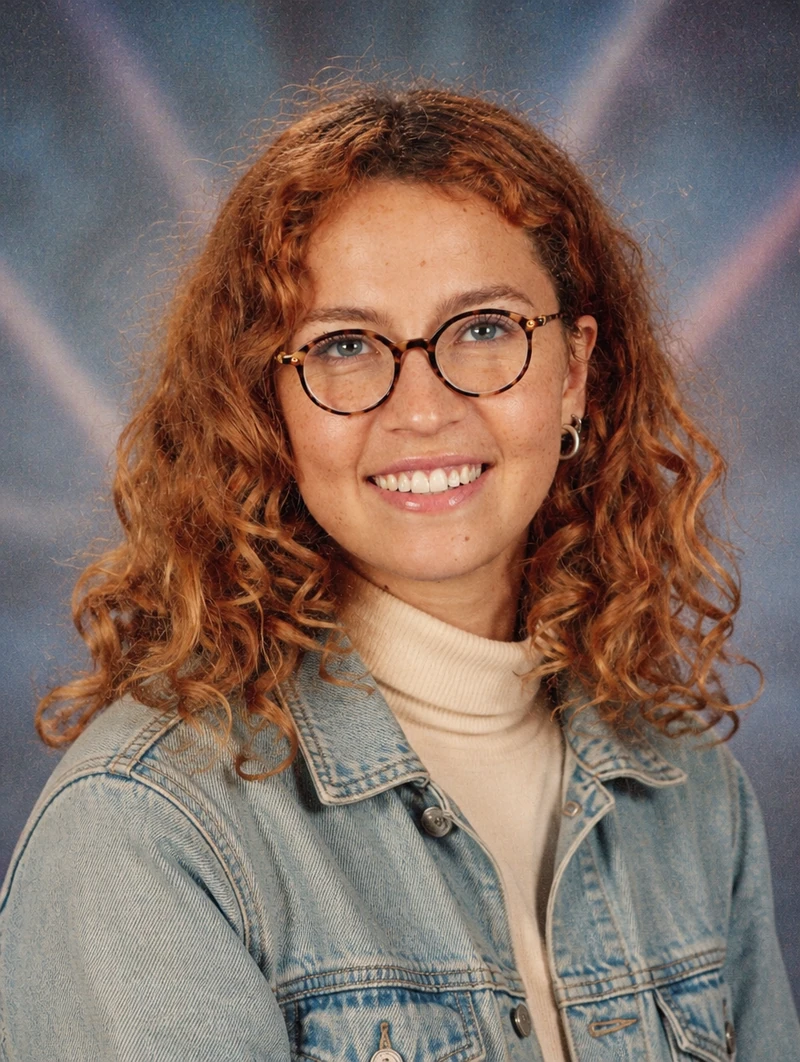
Captions: AI-generated test images of our fictional test character, 2026-10-27, via Higgsfield, one try each. Nano Banana Pro 2 credits (the job record lists nano_banana_2); Seedream 5.0 Lite 1 credit; GPT Image 2 0.5 credits.
Pick by the backdrop you want. If the pink-violet laser look matters, GPT Image 2 matched the “laser-style” wording on its first try at the lowest price. If you want the scanned-print grain, Nano Banana Pro came closest in this set. Seedream 5.0 Lite is the one to check against your reference photo before posting. On our old photo restoration test, the same three models ran one restore prompt on 2026-10-27, and there Seedream 5.0 Lite kept the face closest while Nano Banana Pro changed it.
A yearbook prompt for Gemini and other image tools
This is the exact prompt we sent to all three models, copied from our log. We have not run it in Gemini or ChatGPT: not tested.
Tested prompt
The same text as in the recipe card above. Copy it from the card
To adapt it, change the hair, glasses and outfit to match your photo and keep the rest. The “no text, no names, no logos” line is why our outputs show no school crest or lettering. Change one detail per run so you can tell which edit moved the face. The same “laser-style” words gave three different backdrops. For a retro yearbook photo from another era, such as an 80s school photo, swap the decade and the outfit. We did not run that variant: not tested. This is a styled portrait, not an AI headshot for work.
Which app does the 90s yearbook? Epik and the rest
Epik’s AI Yearbook feature went viral in October 2023, and the app is free to download. NBC News (published 2023-10-04) reported 60 images from 8 to 12 submitted selfies for $5.99 to $9.99, discounted that week to $3.99 and $5.99. CNBC (2023-10-05) gave the tiers as $5.99 standard (within 24 hours) and $9.99 express (within 2 hours). Those are 2023 prices, kept here as history.
As of 2026-10-27 the US App Store lists “EPIK — AI Photo & Video Editor” by SNOW Corporation as Free with in-app purchases, version 7.4.31 dated 2026-10-21. Its in-app purchase list still names Yearbook Standard at $5.99 and Yearbook Express at $9.99. Four more “LE” and “PRO” yearbook items cost $3.99 to $5.99 (App Store listing, checked 2026-10-27). The listing does not show whether the yearbook feature is open in the app today: not verified as of 2026-10-27. So “Epik is free” holds for the download only.
Other names in our Google US snapshot for “ai yearbook” (2026-10-20): Aragon AI, Reface, Pixelbin, Pokecut, Media.io and ZSky AI. The Pixelbin, Pokecut, Media.io and ZSky AI search snippets say free; the Aragon AI and Reface snippets do not. We did not open their terms or limits: not verified as of 2026-10-27. Dreamina says on its AI yearbook page that it provides “multiple free credits each day”, with no amount (checked 2026-10-27).
Our runs used a paid Plus account, so they do not show what a free Higgsfield account gets. Pay when you want several tries on different models at 0.5 to 2 credits each (our charge, 2026-10-27). For one profile picture, try a free route first.
Our tests ran on Higgsfield. We may earn a commission if you subscribe through the link below; it does not change what we test. Details are in our affiliate disclosure. To recreate the runs, open Image, pick a model, add your photo as the reference and paste the prompt: Open Higgsfield (commission link).
Is it safe to upload selfies?
Read the privacy policy of the tool before you upload. What we checked, dated:
- Epik (SNOW Corp.), privacy policy updated 2026-09-17, checked 2026-10-27: not intended for children under 16. Facial recognition data is processed in real time and not retained on SNOW’s servers afterward. Data sent to its AI providers follows their retention. OpenAI may keep it up to 30 days; BytePlus and Google delete it once processing ends. The policy does not say which providers the yearbook feature uses: not verified.
- Higgsfield, privacy policy last updated 2026-07-26, checked 2026-10-27: biometric information such as face geometry is not stored and is destroyed once processing is complete. Content you remove from your account may stay on its active servers for 30 days, with copies in backups after that. The policy also lets Higgsfield use uploads and outputs to train its AI models; deleting the content stops that going forward.
- Gemini and ChatGPT: upload retention not verified as of 2026-10-27.
Use only your own photo, or an adult’s who agreed, and never a child’s photo.
Quick answers
How to do the AI yearbook trend?
Upload one clear photo to an image model, paste the prompt above and generate once. On 2026-10-27 it cost 0.5 credits on GPT Image 2, 1 on Seedream 5.0 Lite and 2 on Nano Banana Pro, via Higgsfield.
Which app does the 90s yearbook?
Epik’s yearbook feature went viral in October 2023. The app is free to download; its US App Store listing still names Yearbook purchases at $5.99 and $9.99 (checked 2026-10-27). Whether the feature is open in the app today is not verified.
Free AI yearbook photo: what are the limits?
Dreamina states multiple daily free credits (checked 2026-10-27); the amount is not stated. Gemini and ChatGPT limits are not verified as of 2026-10-27.
Is it safe to upload selfies?
It depends on each tool’s policy; see the dated list above. Never upload a child’s photo.
Sources checked
- Our test: How we test and the fictional test character. Runs H5a, H5b, H5c, 2026-10-27, Higgsfield Plus account via Higgsfield MCP; the prompt, job records and charges are from our 2026-10-27 session log. Total 3.5 credits = 2 + 1 + 0.5.
- NBC News, Epik’s AI Yearbook app is taking over social media: 60 images from 8 to 12 selfies, $5.99 to $9.99 (2023 prices). Published 2023-10-04, updated 2023-10-05; checked 2026-10-27.
- CNBC, How to create AI yearbook pictures with viral Epik app: $5.99 and $9.99 tiers (2023 prices); the app said children’s photos could not be uploaded. Published 2023-10-05; checked 2026-10-27.
- Apple App Store, EPIK — AI Photo & Video Editor: Free, in-app purchases, Yearbook items $3.99 to $9.99, version 7.4.31 (2026-10-21). Checked 2026-10-27.
- SNOW, EPIK privacy policy: updated 2026-09-17; checked 2026-10-27.
- Higgsfield, privacy policy: biometric section, section 5.9 on deletion, section 2.3 on model training; last updated 2026-07-26; checked 2026-10-27.
- Dreamina, AI yearbook trend: “multiple free credits each day”. Checked 2026-10-27.
- Search results: our Google US snapshot for “ai yearbook”, 2026-10-20.